
PanelForge Logo

Free Storyboard & Animatic Software

Professional Desktop Software Apps. Powerful, Intuitive & Super Fast.

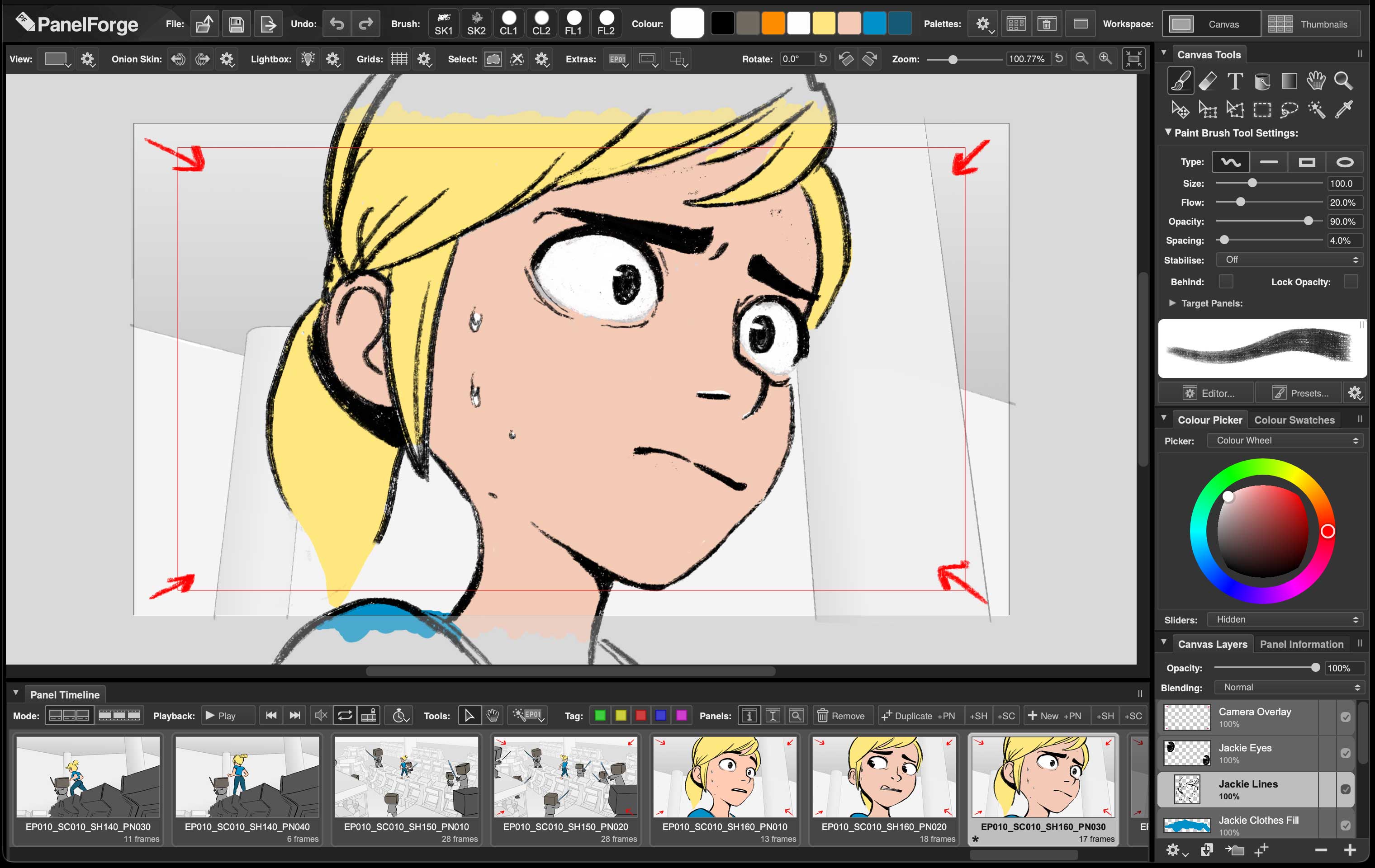
  • ScreenShot 2D Drawing Canvas Workspace | Displaying 'PanelForge Example Project'
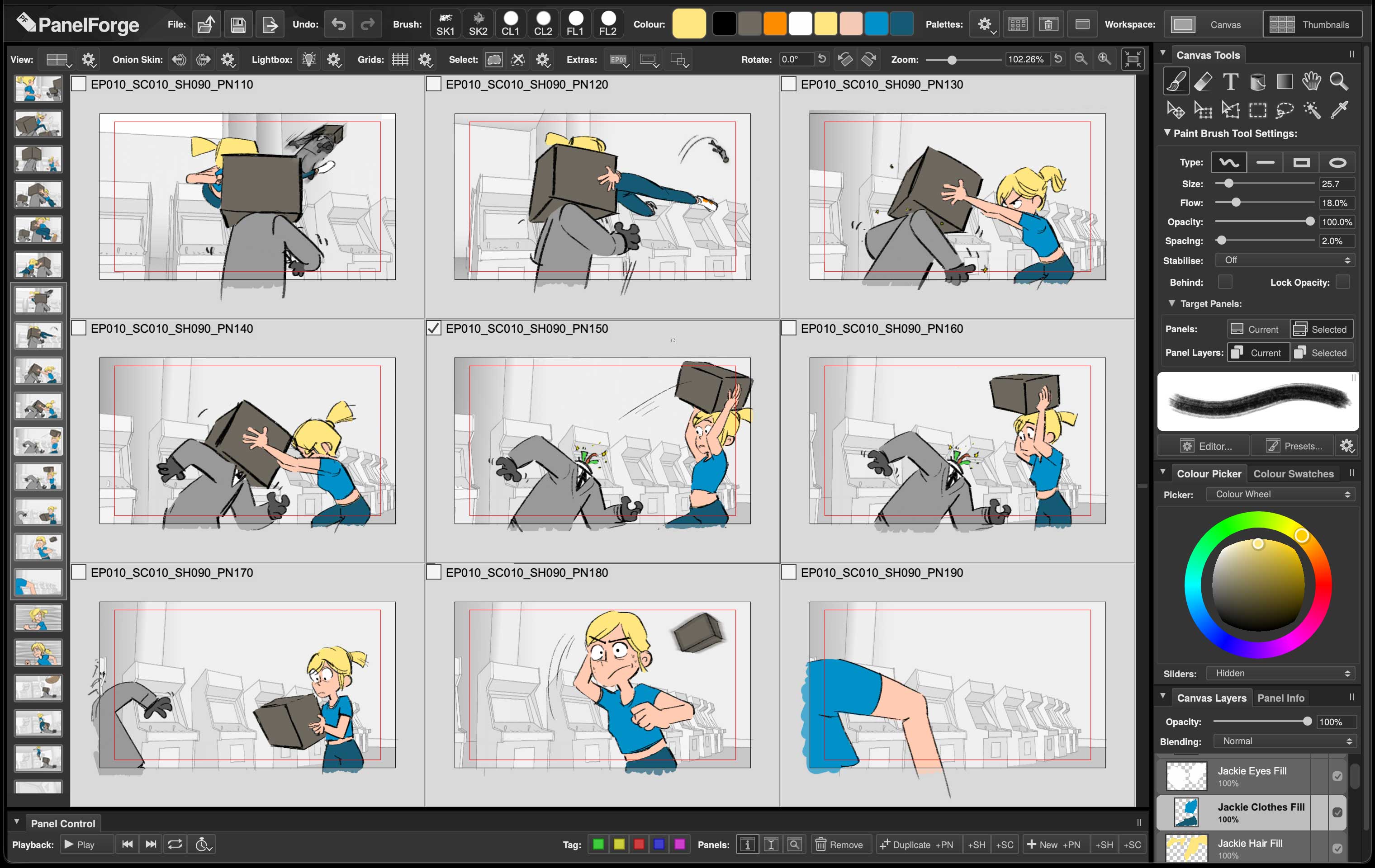
  • ScreenShot Thumbnailing Workspace | Displaying 'PanelForge Example Project'
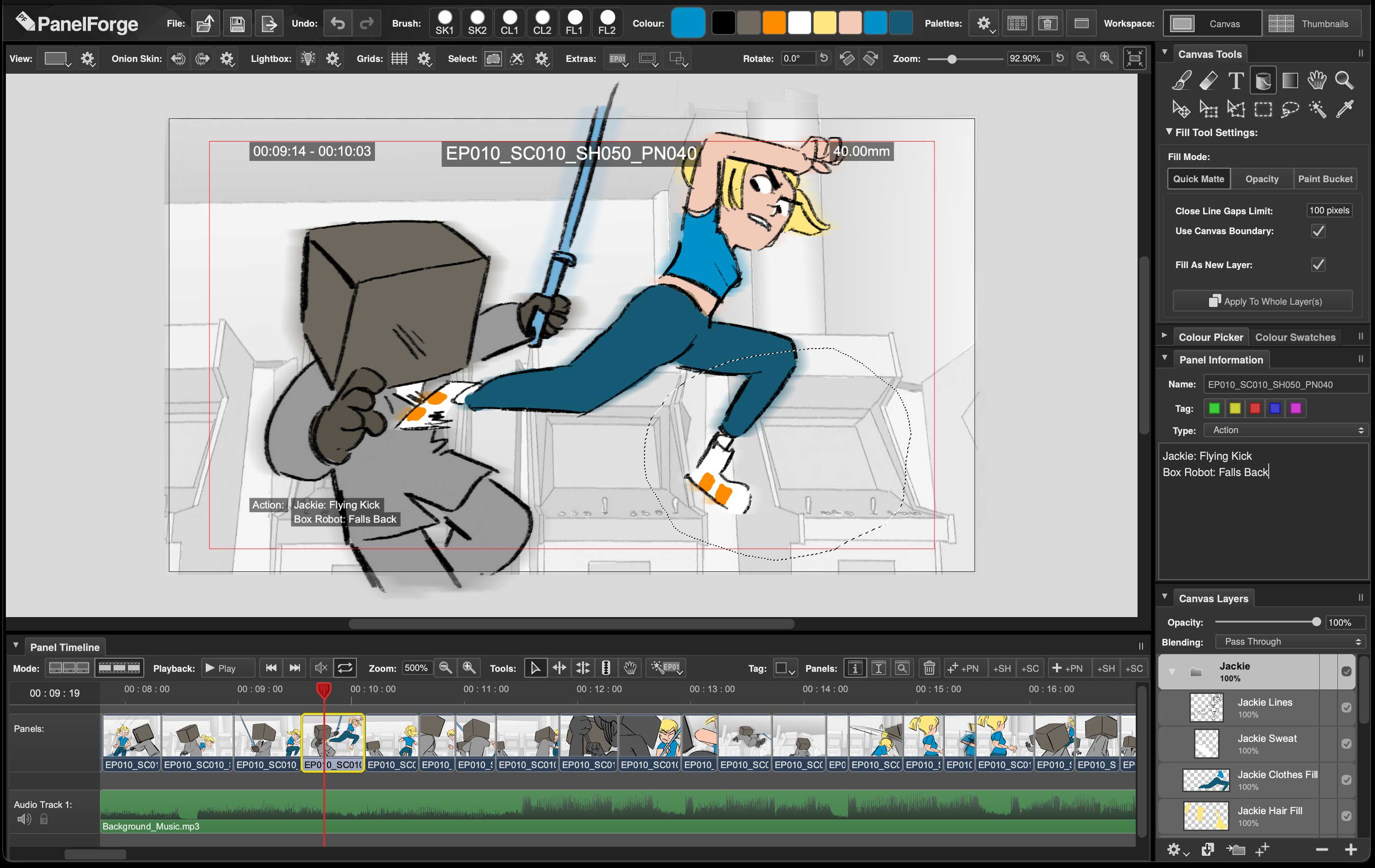
  • ScreenShot Timeline Functionality | Displaying 'PanelForge Example Project'
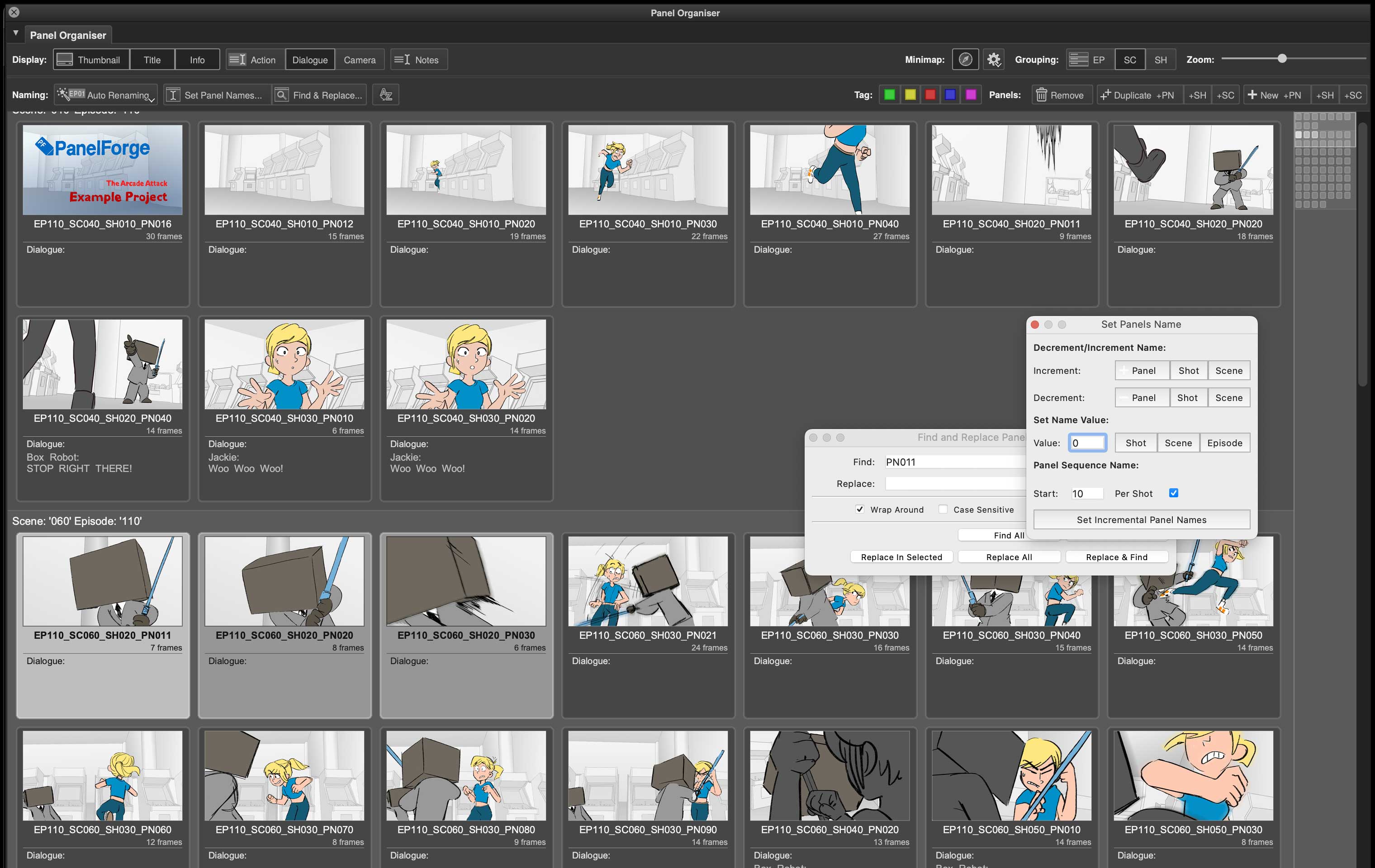
  • ScreenShot Project Organisation | Displaying 'PanelForge Example Project'
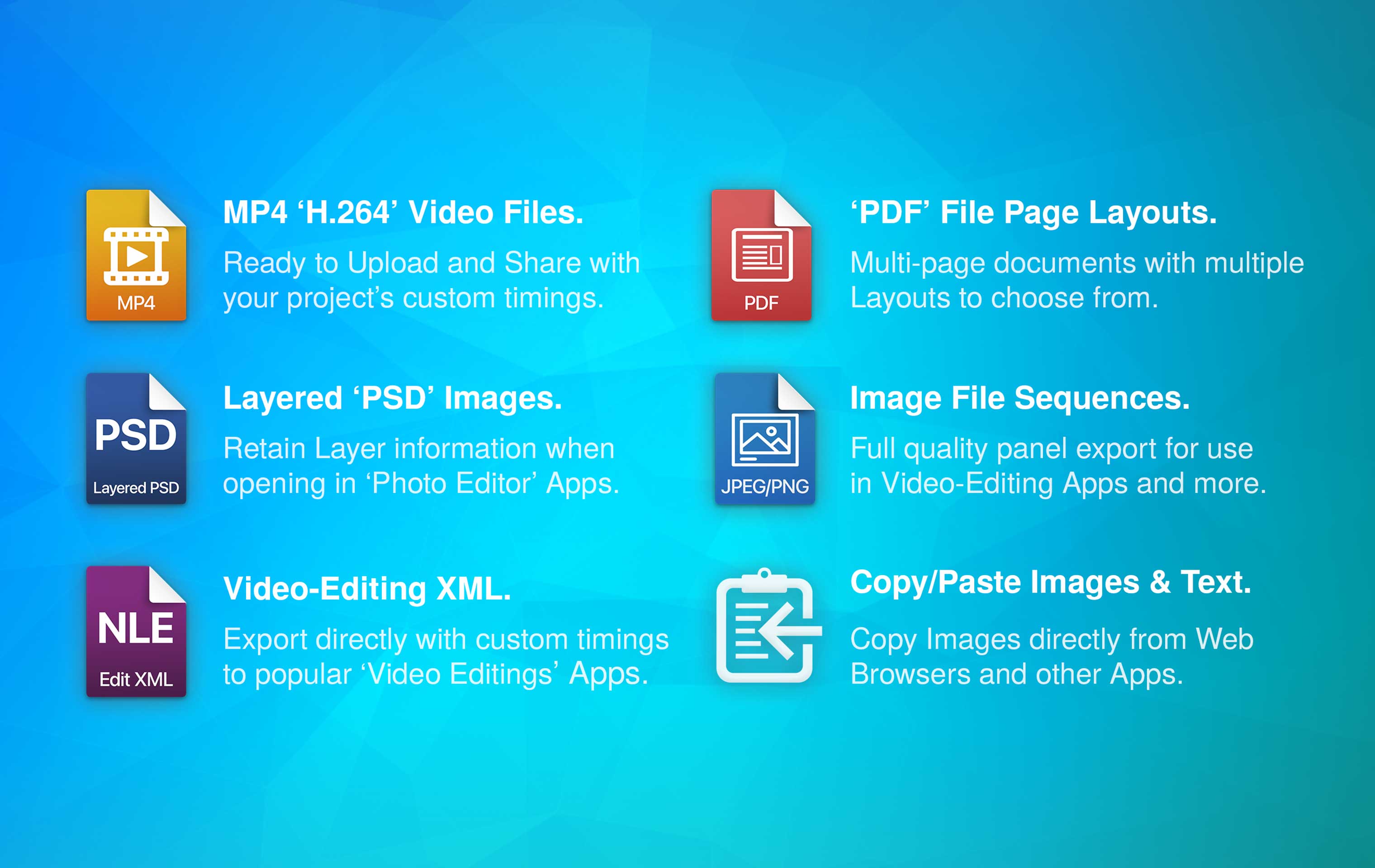
  • ScreenShot Extensive Export

Begin Your Story

No Sign-Up. No Activation.

Up to 100 Storyboard Panels.

Full 1080p HD Resolution.

Single Basic Audio Track.

Professional 2D Drawing Tools.

Animatic Timeline Editor With Audio.

Uniqiue Storyboard Thumbnailing.

Powerful Story Managment.

Extensive Export Functionality.

Feature Details

Windows Logo

Windows


Windows App Store

or

Direct Download

Windows 10 or 11.

Intel/AMD 64bit Processor.


File Size Only: 108MB

Version: 9.0.0


Full System Requirements.


'PanelForge' for Windows Installer File Notes:

The following Components Windows will be installed if not already present:

  • Microsoft VC 2026 Runtime Redistributable

Apple Logo

macOS


Mac App Store

or

Direct Download

macOS 11.7 or newer.

Apple Silicon/Intel Processor.


File Size Only: 115MB

Version: 9.0.0


Full System Requirements.


'PanelForge' for macOS App File Notes:

The downloaded App '.zip' file may need to be uncompressed first.

It is recommended the 'PanelForge' App is moved to the 'Applications' folder.

Compare All PanelForge Versions:

   PF PanelForge    

For Everyone

Windows App Store Mac App Store

or

Direct Download

Free

No Sign-up & Use Forever

  • Up to 100 Panels per Project.
  • Full HD 1080p Panel Resolution.
  • Support via Community Forum.
  • Powerful 2D Drawing Canvas.
  • Interactive Timeline editing.
  • Video 'H.264' File Export.
  • Layered 'Photo Editor' PSD File Support.
  • Premiere™ & Resolve™ file Export.
  • Page Layout 'PDF' Export.

PF PanelForge Indie

For Indie and Enthusiasts


Download Free Beta

*From Only £7 INC. VAT

Monthly/Yearly/Lifetime Plans

  • Up to 250 Panels per Project.
  • Full HD 1080p & 2k Panel Resolution.
  • Support via Community Forum.
  • Multitrack Audio Timeline Editing.
  • Dedicated Timeline Edit Workspace.
  • 3D Layout Stage functionality.
  • USD & Alembic 3D Scene Export.
  • Advanced Asset Management.
  • Plus all features of 'PanelForge'.

PF PanelForge Studio

For Production Use


More Info

Contact for Pricing


Seat/User/Site Plans

  • Unlimited Panel Amount.*
  • 8k+ Panel Resolution.
  • Priority Email Support.
  • Phone/Video-Call Support Requests.
  • Constructs Maya™ Scenes.
  • Sync with Premiere™ Timelines.
  • Python Scripting & Qt™ UI.
  • Additional Python 'Bonus Tools'.
  • Plus all features of 'PanelForge Indie'.

'PanelForge' Feature Details:

Click to Expand

  • PANEL DRAWING:
    • Sketch & Paint with bold fluid pens and traditional textured brushes.
    • Full ‘Graphics Tablet’ support with Pressure & Tilt sensitivity.
    • Import existing popular ‘Photo Editor’ ABR Brush Files.
    • Onion Skinning & Lightbox assisted Views.
    • Powerful selection, move, rotate, scale & distortion tools.
    • Smart automatic Matte filling tools.
    • Create Multiple Layers with Blending modes.
    • Add blur and colour adjustment Effects.
    • Fast & responsive with a state-of-the-art hardware accelerated graphics engine.
  • THUMBNAILING:
    • Create, draw & adjust multiple panels simultaneously.
    • See adjusts on multiple panels in realtime.
    • Use the same powerful tools as single Panel editing.
    • Fast panel reviewing & annotations.
  • AUDIO & TIMELINE EDITING:
    • Adjust panel durations using familiar NLE tools.
    • Select & Reorder Panels from Timeline.
    • Fast ‘Scrubbing’ Preview of Panels.
  • PANEL ORGANISATION:
    • Add & edit overlay text with powerful positioning & styling.
    • Fast project overview view to manage.
    • Reorder, Rename, Group & Tag Panels.
  • FILE EXPORT:
    • Image File Sequences PNG & JPEG.
    • Layered ‘Photo Editor’ PSD image files.
    • Page Layout PDF files.
    • MP4 ‘H.264’ Video files.
    • Timeline Edit to popular ‘Video Editor’ Apps.
  • FILE IMPORT:
    • Existing Image File Sequences as Storyboard Panels.
    • Image Files PNG, JPEG, TIFF, BMP, TGA & DDS.
    • Layered ‘Photo Editor’ PSD image files.
    • Copy & Paste images from other Apps.